Ladies, gents, esteemed colleagues, welcome back to yet another groundbreaking and life-changing dev log. This month has shaped up to be quite an exciting one so les’ goooooo.
Constructs and Compartments and Tiles, Oh My!
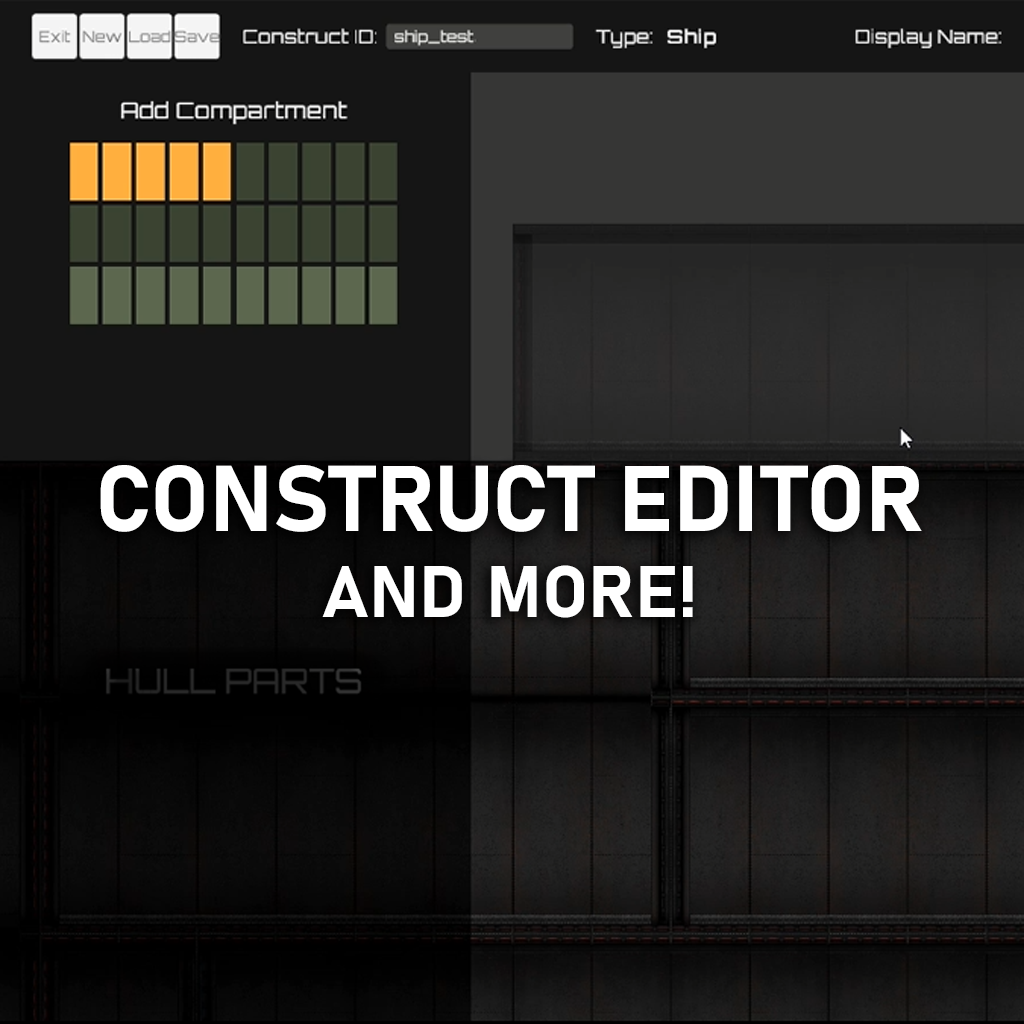
Starting off with the most exciting topic on today’s roster; the Construct system. There’s a lot to explain and unpack, and I’ll go into detail shortly, but for now; feast your eyes on Stellar Wasteland’s official construct editor:

(Not sure why the GIF turned out green-ish, but whatever)
In addition to placing and editing compartments, I’ve also built in a few QoL features; such as moving already-placed compartments and implementing undo functionality with a history of 10 prior actions, which you’ll see below:

(I added temporary colours to the move/delete buttons to this second GIF for clarity’s sake – but they’ll have proper hand-drawn buttons eventually.)
So there it is – the big reveal for the game-wide construct system. But hold on, what even is a construct? Well, let’s rewind a little so that I can give you the full rundown on how I’ve structured everything.
It basically works like this; Constructs are the high level data class for almost every built item in the game – including ships, stations, outposts, and even surface locations (cities, towns, so on). Every single ‘assembly’ of parts falls under this high level type. Then, going one level deeper, we have compartments – these are basically the ‘rooms’ you see me placing in the previous GIFs. Then, going yet another level deeper, we have Tiles – these are all the walls, floors, ceilings, connectors, and more. I realise that describing this system verbally probably isn’t adequate enough to provide a full picture, so I’ve provided a full picture below (literally):

Since all in-game ships, stations, outposts, and locations, are constructs (in one form or another), pretty much everything in the game with be built using this editor. This means that I, the developer, will be using the exact same tools to build the game as you and the modders will use to expand it. Just like Bethesda’s usage of their creation kit, this massively raises the ceiling of build potential to be on-par with vanilla assets. I’m hoping that this key fact will expand the modding capabilities and community engagement for the game overall, and lead to all kinds of cool new ships/stations/locations being built. I also think it’s just kinda cool that I’m *technically* using the game to built itself lol.
I’d also like to shed some light on the three main editor modes (names are just placeholders for now);
1. Build: This is the mode seen in the GIFs, and includes all the structural aspects to building such as compartments, hull parts, ladders, stairs, windows, tile editing, etc.
2. Buy: This is where all the item placement and load-outs will be handled. Stuff like furniture, decals, props, weapons, turrets, generators, electrical components, etc.
3. Systems: This one will be exclusive to the menu-based editor and will include dev-related stuff like NPC spawners, scriptable objects, audio queues, quest triggers, and so on.
One key philosophy I’ve tried to adhere to in designing this editor is that ‘It should only be as complex as you want it to be’. The idea being that you, as a player, should be able to build a ship from start to finish in as little as ten minutes, or as long as ten hours, solely dependent on how long you want to spend doing it. As a massive Barotrauma fan, one of my biggest pain points in that game is the Submarine Builder. Whilst it is insanely powerful and does provide you the freedom to build whatever you want – it’s also insanely complex, very tedious (wiring), and EXTREMELY time-consuming. I would say that, at minimum, you’re in for at least 10+ hours just to build/test a single campaign-ready sub – and that’s on the conservative side. It’s an insanely impressive tool, don’t get me wrong, but it’s also just that; a tool. It feels a lot more like using software than it does playing a game, and I wanted to try do things differently in my game. This does mean that some concessions needed to be made, as my game’s editor certainly won’t have as much freedom as Barotrauma’s one does – but personally, I think that’s a fair trade-off.
And before you ask; yep – this same editor is what the in-game build system will use too, only that will be a more stripped-down and gameplay-focused variant. It will omit the aforementioned Systems mode, but instead feature new gameplay-related functions related to pricing, power usage, part availability, tonnage, and more.
Moving on from the editor itself, this month has also brought about a total overhaul of the old placeholder tile set. Now we have fully game-ready tiles for the first metal variant. I will be adding more variants for each material as time goes on but, for now, here’s a closer look at the default set;

In drawing these tiles I definitely took some inspiration from Fallout (1997), as I tried to capture some of that classic rusted-out industrial vibe (whilst leaving out the retro-future aspects of course) and also added my own little touch with the built-in signage. I feel like many games often neglect signage for many areas that *would* realistically have it, such as automated doors, and instead typically keep signage for specific ‘factory’ locations or pieces of machinery themselves. Personally, I want to try to make this world feel as lived-in and grounded as possible – and so signage-galore is the route I must take.
ANYWAY, side tangents withstanding – that’s where things are at with the Construct system. It’s likely to be at least another two months before the editor is ready to start authoring constructs end-to-end – but once it does reach that point, there’ll be many exciting things to follow.
As it so happens, the construct editor ain’t the only thing I’ve managed to cook up this month, and I have a few more odds and ends to showcase for this log.
DVD Menu > Bonus Content
So then, as a parting gift until our next monthly meeting, I’d like to show you a few more cool little improvements and additions I’ve made to the game. First off, let’s start with the characters – and yes, I know, I said I was done with them but…. well shit, I just can’t help myself. The characters have received yet another overhaul, in the form of a full shading pass for each body type and gender. Below you’ll find a comparison image between the old shading vs new (ignore the difference in body type, that’s just an unintended error).

Dude, they look SO much better now – amirite!? I am very satisfied indeed with this upgrade, as it makes the old version look super flat in comparison. Great stuff all round.
The next addition is: Localisation. Yeah, I know, it ain’t *super* exciting, but it is super important. I’ve now created the main localisation script, which is able to read/parse localisation files (in .csv format) and replace all in-game strings with a chosen language at runtime. I’ve also gone through every single button/text/field that I’ve got so far and updated each of them with a corresponding key in the localisation table – so everything is basically ready for translations when they arrive.
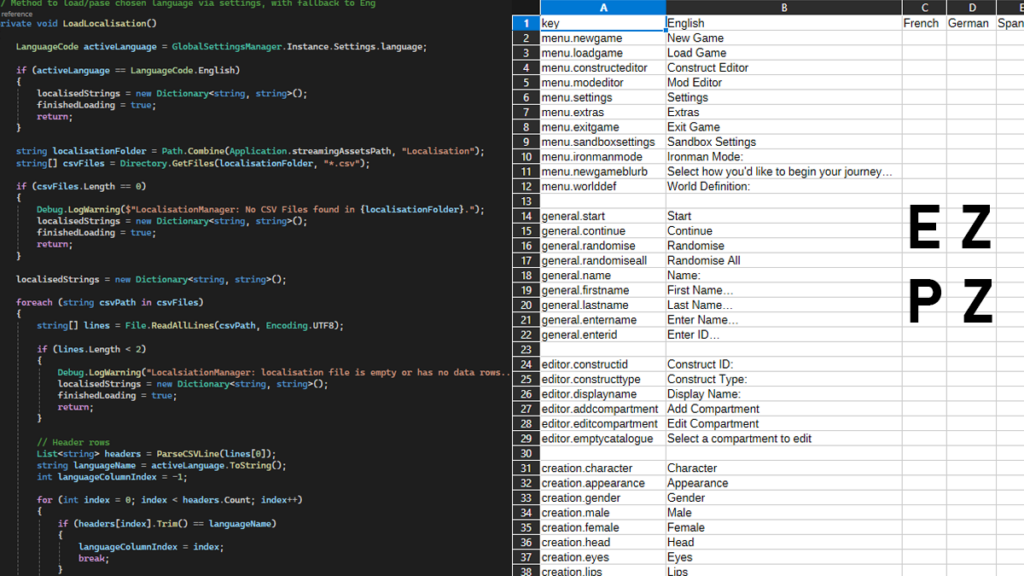
It is worth mentioning though, that the game won’t be launching with multiple languages – they’ll instead be added over time after the game has launched. That being said, the ease of use and widely accessible nature of .csv files also means that, should any users want to see their language in the game sooner rather than later, it will be quite easy to create community localisation patches – at least until the official ones are added.
The next addition: GUI Updates. I’ve begun work on slowly updating all interactive elements of the game’s UI, including buttons, sliders, dropdowns, input fields, and more. This is still in super early stages, but pictures are fun to look at and help break up the walls of text in these logs, so here’s another quick preview of some early button designs I’ve been cooking up.

The final addition: The Mod Loading system. Up until now, I had been building each script to include their own methods for discovery, activation, and sorting, of mod files. As you can imagine, this is an absolutely terrible idea long term, and so it was about time to unify everything into a central script that handles it all in one place. And so I have. Now, there is a full mod loading system in the game, albeit in an early state, but this system will later be expanded to include user functionality such as load order sorting, modlist presets, activation and deactivation of mods, Steam Workshop integration, and more.
I don’t really have any images for this addition, as it’s literally just lines of code, but just use your imagination and think of all the cool and awesome things it will do.
So there we have it, this month’s big ol’ update. Now, I guess it’s back to the grind for me, and I’ll see ya next month for more mind-blowingly awesome updates on the best video game you’ll ever play in your life (just kidding……… unless….?).
Not really much to say here this time, so as always, thank you for tuning in and see ya next time!