
Heh.. that’s right buddy. The character creation screen is 100% green-to-green. There’s lots of cool stuff to show today so let’s skip all the riff-raff and just get into it, aye?
4th Time Lucky
Yes, this is indeed the fourth time I’ve written a log saying I’m done with characters, but this time… it’s ACTUALLY done lmao. Every field, every function, every bit of logic, all of it. Human characters, and all 154 of their slots, are now 100% game-ready – and I’ve got a whole bunch of GIFs to show you.
We’ll start with an all-in-one demo, covering all slot categories in one go via the newly implemented ‘randomise’ button. Throughout the GIF you’ll also see the name fields in action, as well as UI animations, screen transitions, and the first version of a loading screen.

(The UI is still a work in progress – sadly no new updates since the last post, but it’s on my to-do list)
There you have it – all 14 months of progress now mixed and match together… I’m so glad to finally see it. That being said, obviously the results aren’t *super* varied just yet, since most categories only have 1-2 options to choose from, but the good news is that now it’s just a matter of drawing sprites and updating the category JSONs and voila – new items.
So now that we’ve had a high-level overview of everything in action, let’s take a closer look at each category – starting with the eyelids.
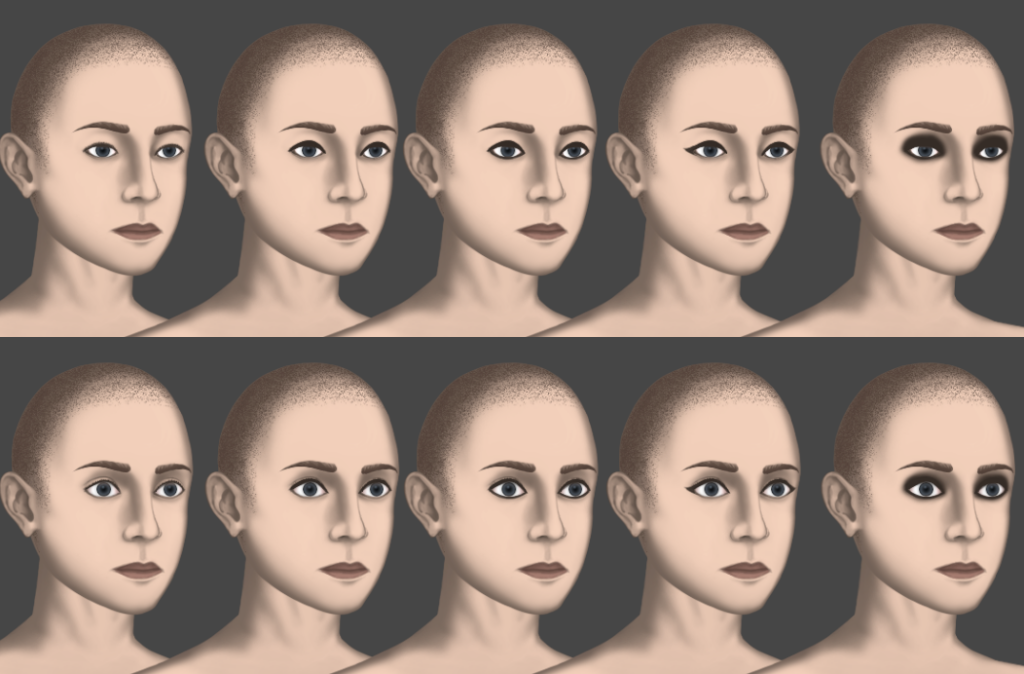
What you see above are the new and improved eyelid variants, as well as the four different makeup configs per variant. Whilst not show, I have also created the open/squint/closed states, but I figured I’d just wait to showcase those once I get facial animations going. It’s worth noting too, that these eye makeup configs can be paired up with the head makeup category (layered underneath the eyelids in sort order) to create a whole range of different looks for a character.
Moving on from that, we now also have piercings for multiple regions, like the nose, ears, eyebrows, and nipples. These piercing also work very nicely with the ‘mirror pair’ logic I’ve recently programmed. This code basically ensures that each character maintains correct visual consistency when changing their facing, by dynamically swapping labels between left and right categories.
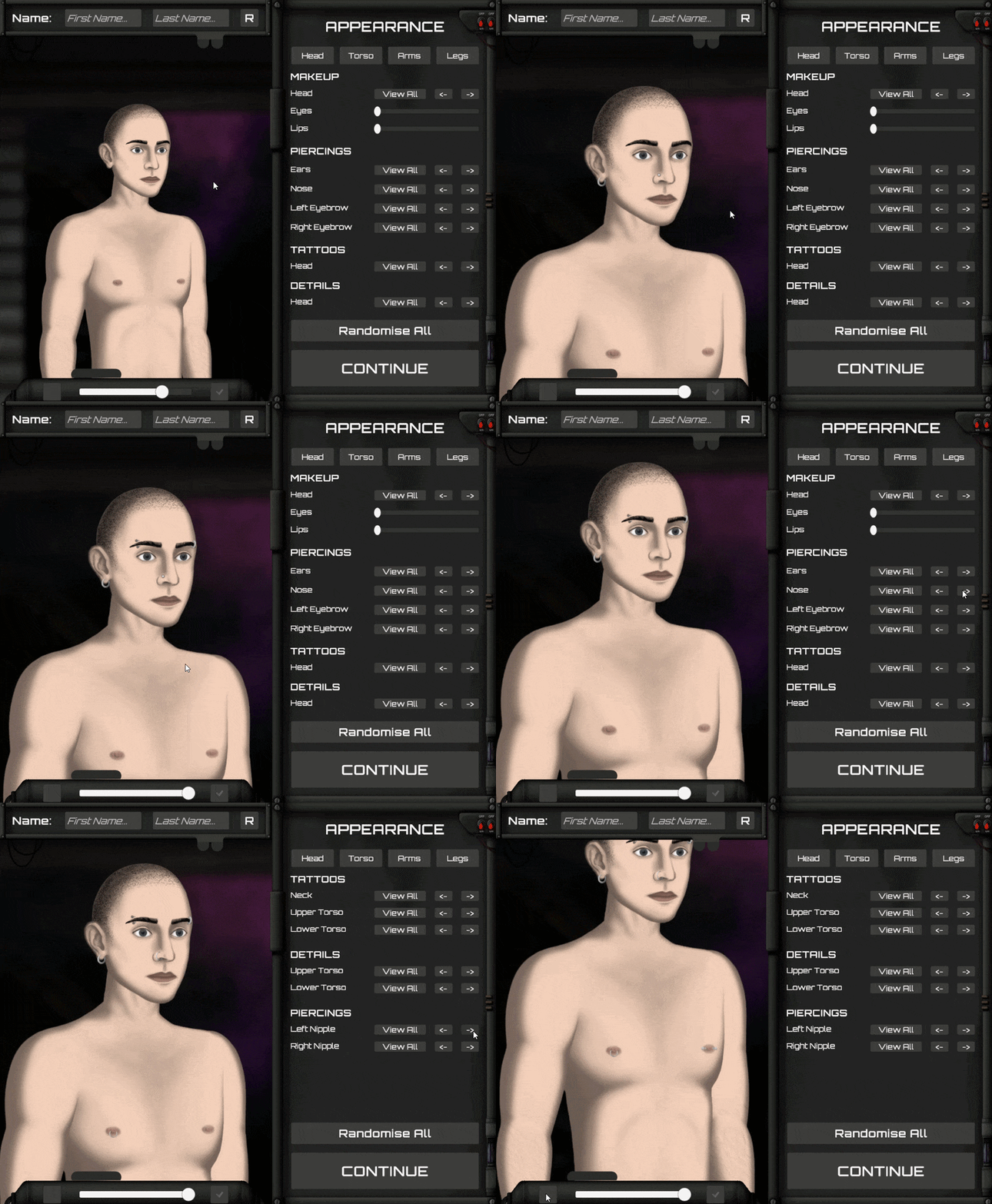
This same logic also applies to other asymmetrical categories, such as items, clothing, tattoos, skin details, and more. For asymmetrical sprites that appear on the midsection of the character, these instead switch to a mirrored version (like the hairstyles). This next GIF showcases this system in action, as well as some of the new tattoos and skin details I’ve added.
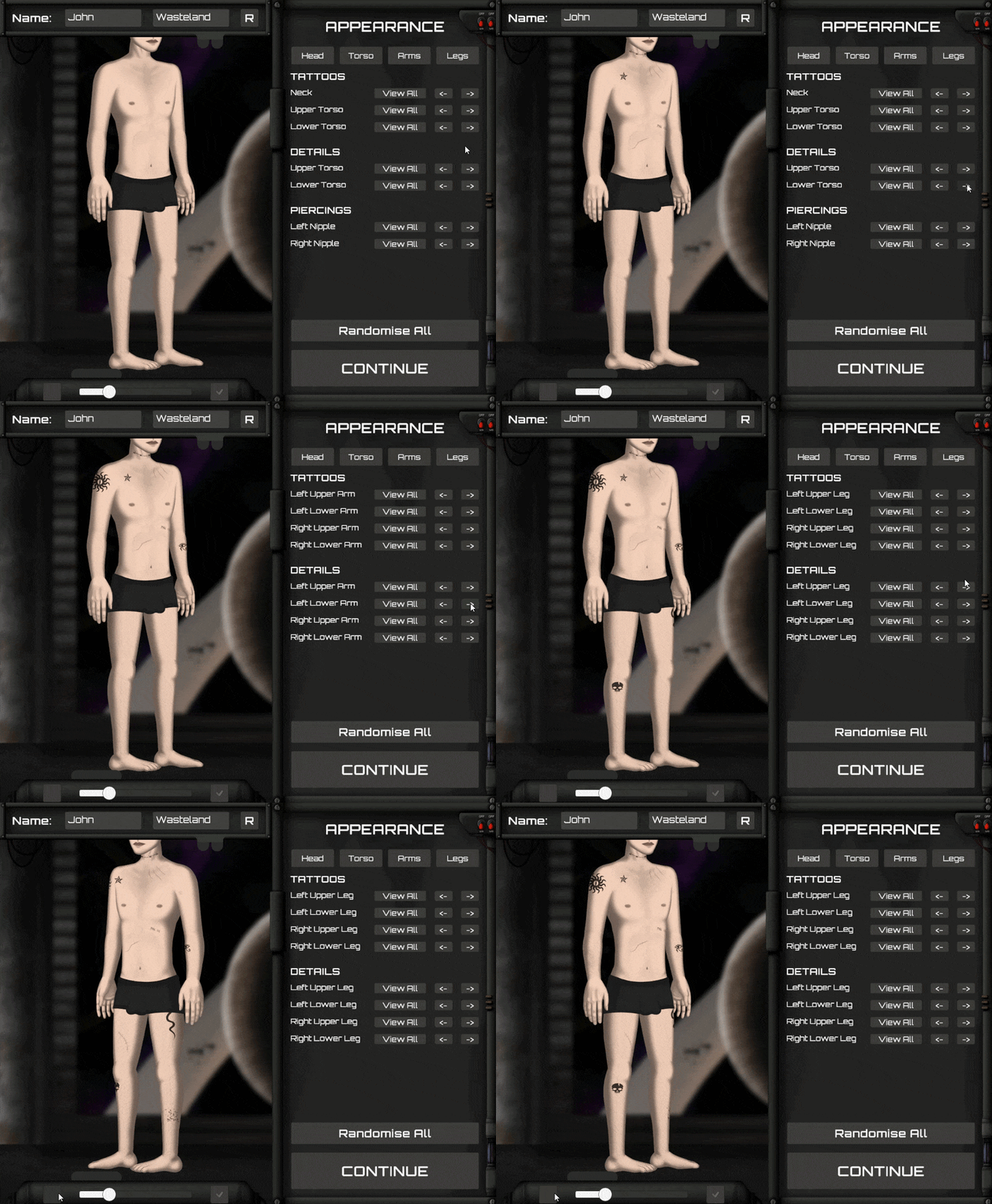
Now, something you may have noticed is that the tattoos above seem somewhat more… ‘basic’ than last week’s showcase, and boy oh boy is there a story behind that…
Disaster Averted
So, I’ll try to keep this as simple as I can, but basically; by week two on February I was actually nearing completion of this whole character system, and things were looking golden at the time. Then (luckily) I had the idea to test out some animations with all these new bells and whistles on the character – and this did not go well. Long and short of it is: tattoos and skin details correctly ‘masked’ over the character’s limbs when static, but as soon as the character moved, the masked layers did not. Why is this the case? Well, you see now, Unity’s 2D animation/sprite skin system – you know, the one I’ve based my entire architecture around up until this point – is 100% incompatible with sprite masks, as this system does not move sprites in transform space when animating. Instead, it applies bone-driven mesh deformation at runtime which draws the sprite in it’s correct position via the GPU – but structurally, Unity still thinks the sprite is in it’s original position. Consequently, any other system that relies on transform-based spacial relationships (like sprite masks) are fundamentally incompatible.
I don’t think I have to explain just how bad of a problem this was lol. It meant that, in essence, my whole character system wasn’t going to work. Without the ability to mask sprites over the core anatomy, this would mean that every single cosmetic item would need to be manually drawn SIX times to fit each character. Every tattoo, face paint, skin detail, scar, etc. Six times each. Furthermore, this would also completely derail the gore system, the dismemberment system, the character effect system… as each of these mechanics have been planned to rely on masking in some way or another.
Sufficed to say, I was looking down the barrel of a gun. I will honestly admit, there was a moment there where I even considered switching to 3D – even though it meant I’d be losing 14 months of work. It was bad. Unity’s 2D Animation package just wasn’t able to support the level of modularity, customisation, and modability that I need to see this game through, and believe me I tried to find workarounds. Be it via custom shaders (stencil buffer), attaching mask layers to bone transforms, or even runtime mesh duplication… literally everything was a dead-end.
And then it hit me – if I can’t make this work using Unity’s 2D animation system, then maybe it’s time to just scrap that altogether? So that’s what I did. I painstakingly went back and re-structured my entire skeletal system to no longer depend on Unity’s 2D system (sprite skinning), and instead moved to a more traditional transform-based/parented rig. It took a number of days work, and it was boring as hell, but in the end I got it done. Now everything works again, and my original design plan is full speed ahead, the only downside being that I now have to animate/work with a more traditional rig system – which isn’t the worst thing in the world, it’s just not as convenient.
And so, this whole fiasco is basically why I ended up just adding basic tattoo sprites for now – as I wanted to stick to my end-of-month deadline for character creation, and figured I could just come back later on and add in those cooler and more complex designs.
Names for Everyone!
The final small but important feature I’ve implemented is the name-set registry. I know this isn’t all that exciting, so I’ll keep this brief, but the game now features nine dedicated name-sets; each of which cover a range of real-world ethnic groups. I’ve tried to include as many cultures as I could, but I do apologise if I’ve missed any. I’ve added a small sample below to give you a general idea of things:
Species: Human
Set: West/Anglophone
Male Name: “Wesley”,”Jeremiah”,”Hunter”,”Leonardo”,”Jordan”… etc
Female Name: “Olivia”,”Emma”,”Ava”,”Sophia”,”Isabella”… etc
Last Name: “Smith”,”Johnson”,”Williams”,”Brown”,”Jones”… etc
Set: Romance/Latin
Male: “Mateo”,”Diego”,”Lucas”,”Alejandro”,”Marco”… etc
Female: “Elena”,”Carla”,”Daniela”,”Adriana”,”Natalia”… etc
Last Name: “Molina”,”Campos”,”Herrera”,”Guerrero”,”Medina”… etc
Set: Slavic
Male Name: “Nikolai”,”Dmitri”,”Ilya”,”Viktor”,”Pavel”… etc
Female Name: “Mila”,”Anya”,”Katya”,”Sasha”,”Alina”… etc
Last Name: “Ivanov”,”Petrov”,”Sokolov”,”Smirnov”,”Volkov”… etc
Additional Sets:
– Middle East/North Africa
– Sub-Saharan African (Mixed)
– South Asian (Mixed)
– East Asian (Mixed)
– Southeast Asian (Mixed)
– Nordic
This is just a very tiny sample of course, as the JSON file contains way too many names to list here. Specifically, each set contains x100 male names, x100 female names, and x100 last names – adding up to a grand total of 2700 names, with equates to around 20,000 combinations per set and 180,000 possible combinations altogether. As with everything else in the game though, the name sets are 100% mod friendly, so whether someone wants to add even more names to that list, or replace the list entirely, it’s quite easy to do.
Next on the Menu
Alrighty, so will all of that stuff out of the way, where does that leave us?
Well, right now I’m working on setting up the save file system for the game. Before you ask – yes – I do plan to allow manual saves (I got you bro). I will also have an optional ‘Ironman’ mode as well though, for those of you who like to suffer, but the choice is entirely up to you on how you want to play.
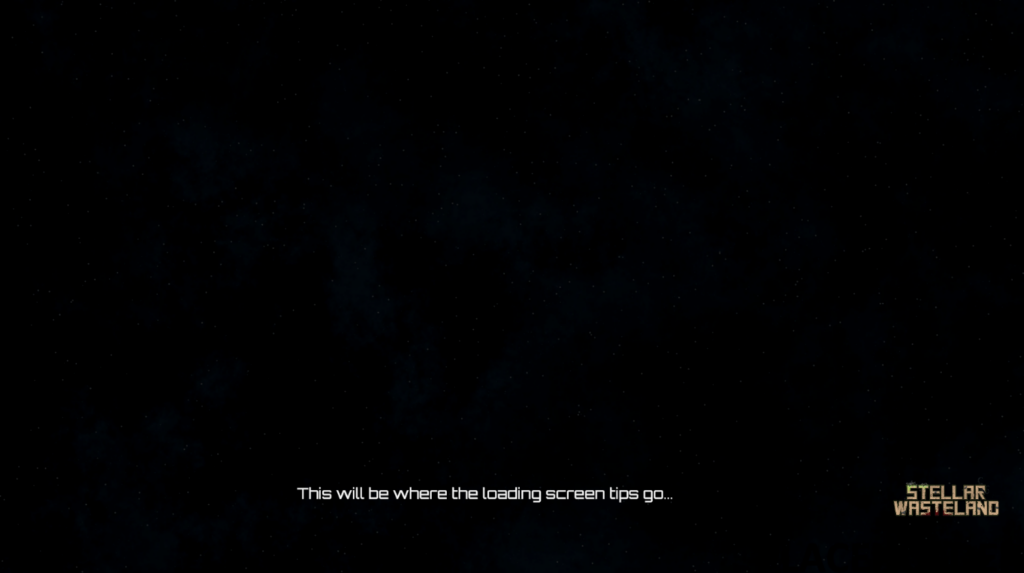
Part of this new save file system also happens to include the loading screens of the game, in which I’ve gotten a fairly rough layout planned on how I want it to look. In case you missed it in the first GIF earlier in the post, here’s the current loading screen layout v1:
So yeah, I think that about wraps up everything for this log. This will indeed be the final log on character creation for some time, and thank god for that, I think a breath of fresh air is long overdue for the both of us. Fourteen months dude…. Fourteen months and now we’ve finally made it into gameplay. Oh, what a feeling….
(Toyota)
I gotta say, making the switch to monthly logs seems to have been the right move – as this log was definitely a lot more concise and feature packed than the usual fortnightly ones.. good stuff indeed.
Anyway, as always, thanks for tuning in and I’ll see youuuuuuuuuuuuuuuuuuuuuuuuuuuuuuuuuuuuuuuuuuuuuu next time.